

WP Maps includes advanced filtering and boundary-aware tools to enhance both the accuracy and responsiveness of your store locator.
These options include intelligent sorting, geographical boundaries, category-aware map adjustments, and multi-filter logic.
What These Options Do #
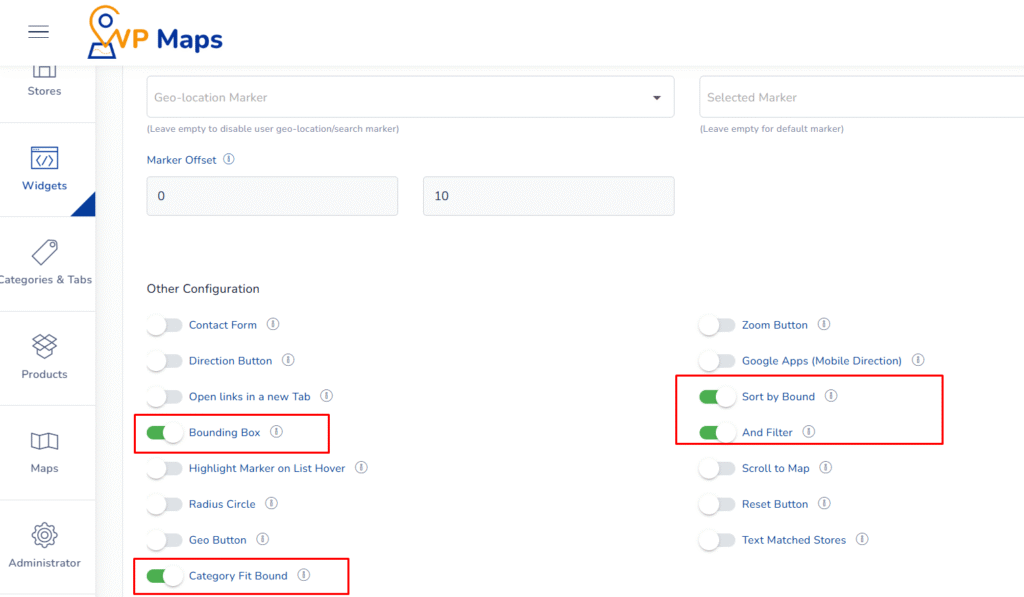
1. Sort by Bound #
This setting refreshes the visible store list whenever the map is dragged by the user.
Pagination is disabled when this option is active; the system displays only the stores currently visible within the map’s viewport, making it easier for users to explore specific areas manually.
2. Bounding Box #
When this setting is enabled, the search result considers only the stores falling inside the bounding box of the selected search area.
It also updates the “All Store” option in the distance selection dropdown to reflect bounding box logic, improving search relevance.
3. Category Fit Bound #
When a category is selected, this feature automatically zooms and centers the map to show only the markers (stores) that fall under the chosen category.
It enhances navigation by immediately focusing the user’s attention on relevant locations without manual map interaction.
4. AND Filter #
This enables multiple checkbox-based category filters with an AND condition logic.
Only stores that match all selected categories simultaneously will appear in the result, great for highly specific filtering needs (e.g., show stores that are both open 24/7 AND offer pickup service).
Benefits of These Settings #
- Map-Aware Experience – Ensures store listings reflect exactly what users see on the map.
- Accurate Search Results – Bounding logic helps narrow down results within a relevant zone.
- Enhanced Category Navigation – Fit Bound improves user focus when browsing via categories.
- Precise Filtering – The AND filter supports detailed multi-criteria use cases, boosting satisfaction.
How to Configure #
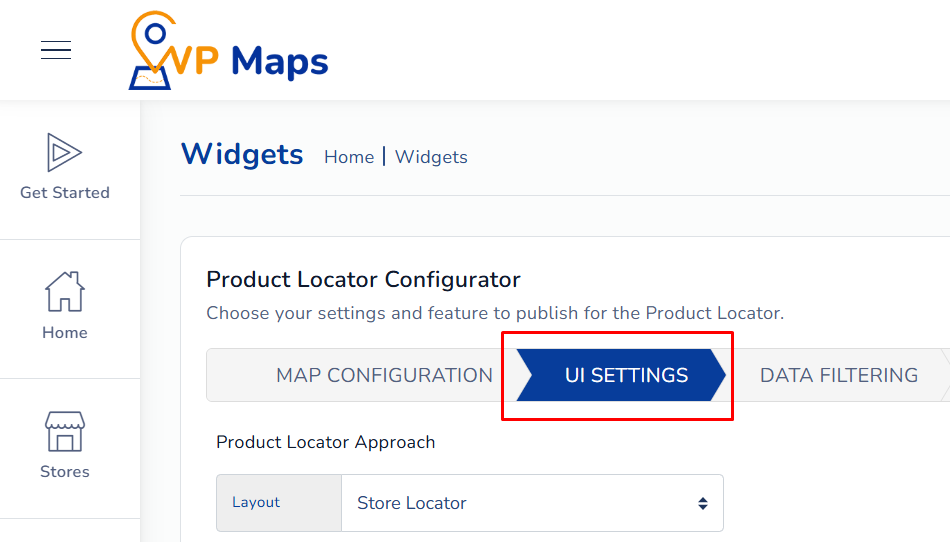
- Log in to your WP Maps account and click on the “Widgets” tab.
- Click on “Install Widget”.

- Under the “UI Setting” section, locate the options in question.

- Enable (or Disable) the following based on your needs:
- Sort by Bound
- Bounding Box
- Category Fit Bound
- AND Filter
- Save your settings and reload the widget on your site.

For any questions or concerns, feel free to contact us at [email protected].


