
Embed WP Maps on Your Site
Embed a WP Maps product and store locator on your Wix site using its embed code.
Help customers find stores, dealers, and products on your Wix website with one embed code and simple locator management.

Trusted by Wix retailers, dealers and brands
Compatible Widgets
Embed a WP Maps product and store locator on your Wix site using its embed code.
Keep your Wix website and add a locator page to help customers find your stores.
Manage products and stores in WP Maps while displaying the locator on your site.
Simple Setup
Upload your store locations using a CSV spreadsheet.
Add stores, choose a template, and pick your colors.
Publish your locator, then copy its HTML embed code.
Create a page on your Wix site to show your locator.
Select Embed HTML in Wix to enter your locator code.
Paste your embed code, click Apply, then publish it.
Create a product and store locator via WP Maps, embed it on your Wix site, and match it to your brand to help shoppers find products, find nearby stores, and get directions.
Create a product and store locator with WP Maps and embed it on your Wix website in minutes. Match the look to your brand and help shoppers find local stores and the products they want to buy.

Display your store locations together on your Wix website so customers can find nearby stores, check store details, and get directions. Make planning a visit easier and encourage foot traffic.

Give your Wix store locator a style that fits your website. Choose a template, adjust colors, and tailor text with WP Maps to create a consistent experience that helps shoppers explore stores.

Use Cases
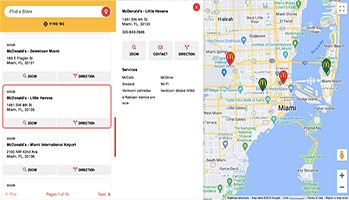
Help diners find local restaurants, browse menus, check hours and get directions to visit.
View Live Demo ->
Help patients find healthcare services nearby, check clinic details, and plan their visit.
View Live Demo ->
Let shoppers explore furniture products and find nearby stores that carry their favorites.
View Live Demo ->Watch
From a blank page to a live locator, step by step.
Practical Options
Add store searches by city or ZIP to your website.
Show the shops using either Google Maps or Mapbox.
List store hours to support visits to your stores.
Adapt your locator text for various local markets.
Group products by category for efficient browsing.
Gather buyer details using built-in contact forms.
Start your free trial today and see the impact without any credit card required.
Everything you need to know about WP Maps.
A store locator software is a tool that helps you create a map widget for your website. This widget allows your customers to easily find your nearest stores, warehouses, pickup points, or any other locations you want to highlight. It's a convenient way to guide people to your physical locations.
See what our customers say about WP Maps.
“I like to give credit where credit is due and it is definitely due here! Their product is amazing and so easy to use. I had contacted their customer support because I wanted a feature I did not see available. Their customer support reached out to me immediately and helped me achieve my desired goal. I am so happy to have bought this product and to continue to support. I completely recommend!”
James Anderson
Chief Technology Officer (CTO)
“Apart from its great performance, I had a rather tricky problem that I could not solve. I contacted the support and they always offered me a quick response, and they have solved the problem. Very professional, capable, and close to the customer.”
David Williams
Data Analyst
“The setup, customization features, theme appearance options, and tech support for this location mapping plug-in are all fantastic! We are using it to feature locations that participate with our non-profit feeding ministry.”
William Brown
Chief Digital Officer
“I have to say I’m impressed with support quality. Not only you get answers right away, they also did help me with moving settings from one site to the other even tho I just asked if it’s possible to import them somehow. If you are looking for this type of plugin, look no further, this is the way to go :)”
Scott McDaniel
Web Development Manager, Truelio