

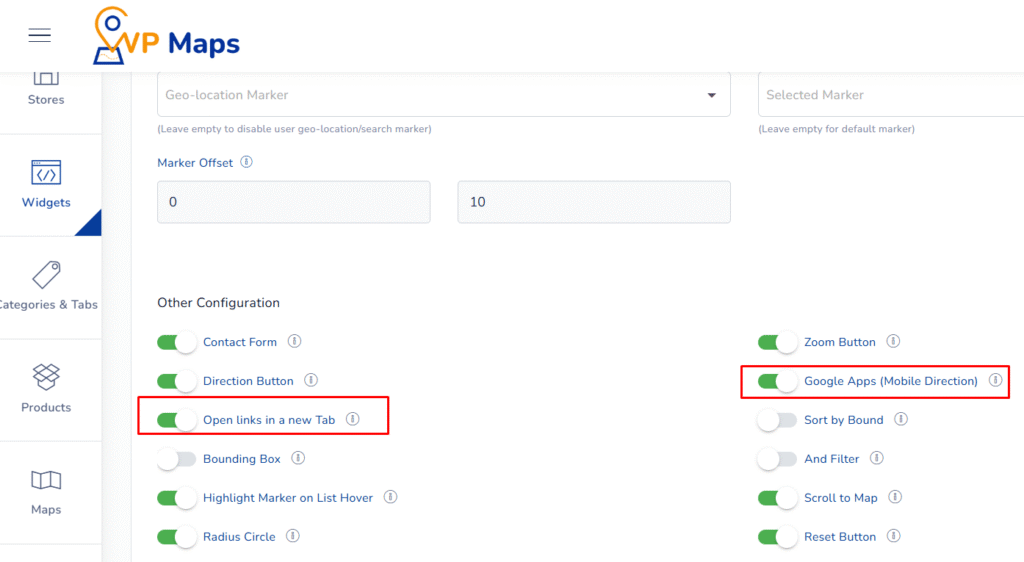
WP Maps includes convenient options that improve mobile usability and browsing experience. You can allow directions to open in the Google Maps app on mobile devices and ensure external links open in a new browser tab, minimizing disruptions to the user journey.
What These Options Do #
1. Google Apps (Mobile Directions) #
This setting enables the direction links (in store list and info windows) to automatically open in the Google Maps app when accessed on a mobile device.
Instead of using browser-based APIs, this option redirects users to the Google Maps application — providing a more native, reliable, and faster navigation experience.
2. Open Link in New Tab #
When enabled, this option ensures that any external store links (such as a website URL) will open in a new browser tab.
This prevents users from being redirected away from your site and keeps them engaged with the store locator even after exploring store websites.
Benefits of These Settings #
- Better Mobile Navigation – Opening directions in the Google Maps app offers smoother performance and user trust on smartphones.
- Preserves User Engagement – Opening links in new tabs keeps users from abandoning your site while browsing store websites.
- Improves Conversion Flow – Enhances multitasking and allows users to compare stores or browse while keeping the locator open.
- User Experience Optimized – These small touches can significantly reduce bounce rates and friction in the browsing process.
How to Configure #
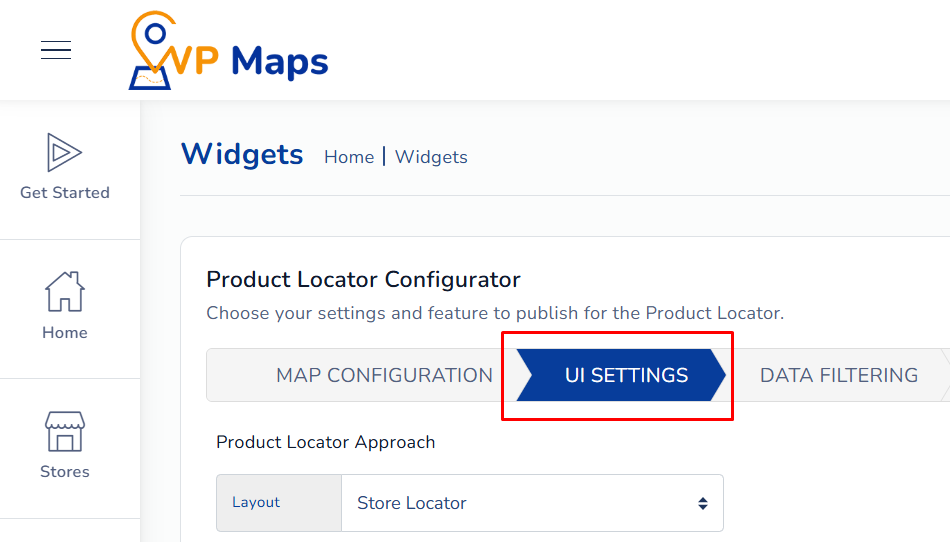
- Log in to your WP Maps account and click on the “Widgets” tab.
- Click on “Install Widget”.

- Under the “UI Setting” section, locate the options in question.

- Enable (or disable) the buttons for Google Apps (Mobile Direction) and Open Link in New Tab.
- Save your settings and reload the widget interface on your site.

For any questions or concerns, feel free to contact us at [email protected].


