

The Drop Down Range setting in WP Maps lets you define the distance options available to users when they search for nearby stores or products.
It affects how far the system looks from the searched location or the user’s geolocation when displaying map results.
By offering a customizable list of ranges, you give users flexibility in how broad or narrow they want their search results to be.
What This Option Does #
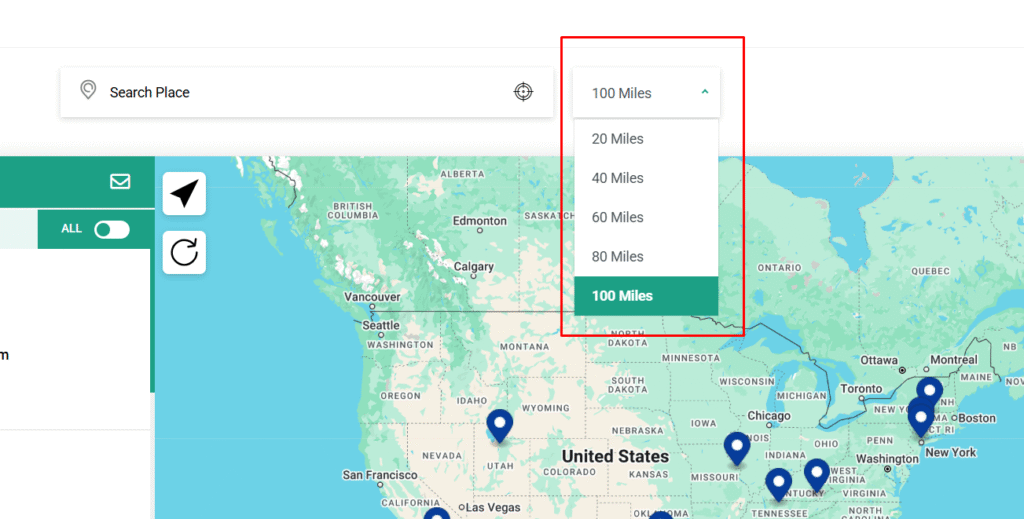
A dropdown menu is placed next to the search bar, allowing users to select a distance (radius) for their search. WP Maps will then filter and display only those locations that fall within the selected radius.
The default values in this dropdown are: 20, 40, 60, 80, and 100 units, typically in kilometers or miles, depending on your configuration.
For example, if a user selects 40, the map will only show stores within a 40 km (or 40-mile) radius of the entered location or their current geolocation.
Uses and Benefits #
- Improved User Control – Let’s customers decide how far they’re willing to travel.
- Refined Search Results – Avoids overwhelming users with faraway locations.
- Optimized for Physical Stores – Perfect for retailers with multiple outlets across a region.
- Customizable – You can adjust the dropdown values to better match your business needs or service areas.
How to Configure #
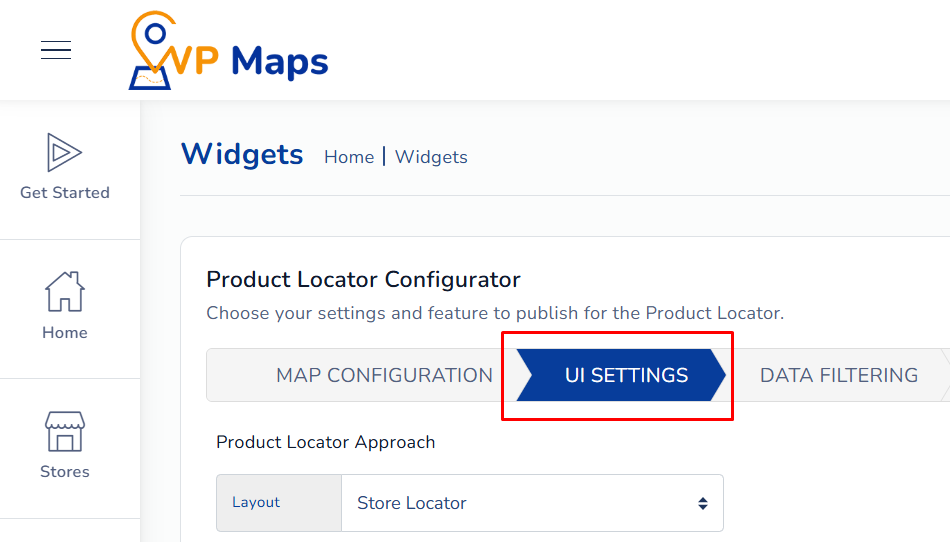
- Log in to your WP Maps account and click on the “Widgets” tab.
- Click on “Install Widget”.

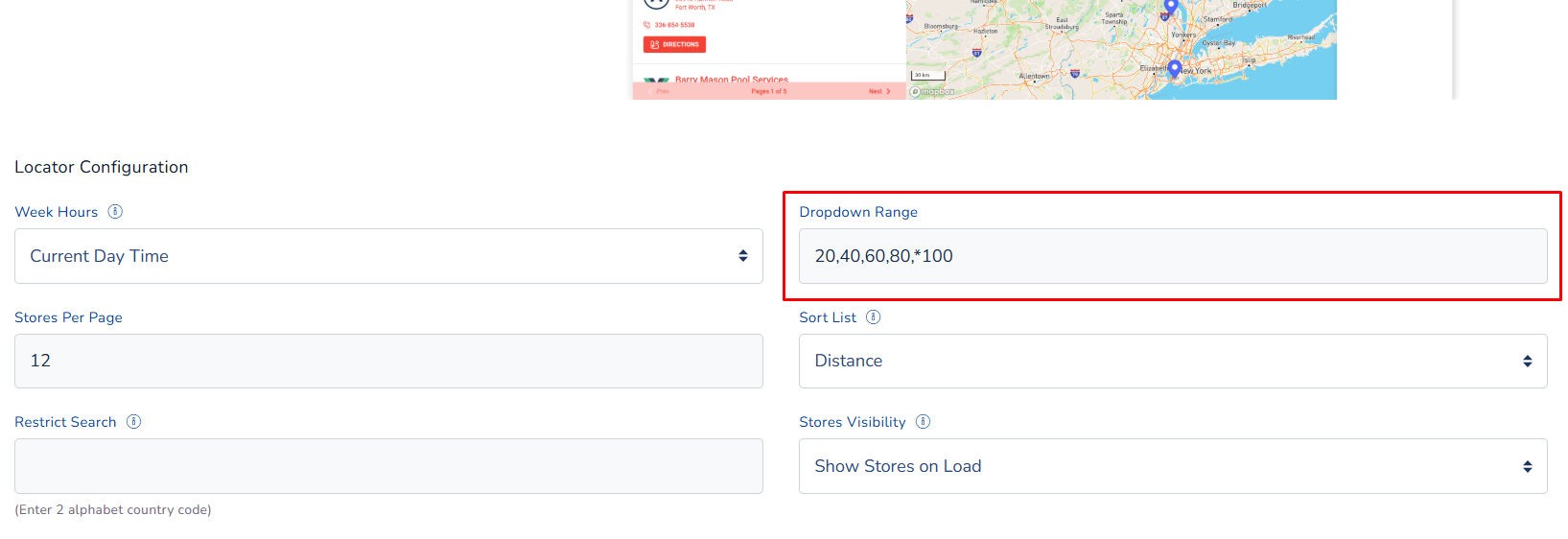
- Under the “UI Setting” section, look for the Drop Down Range setting.

- Enter or adjust the radius values (e.g., 20,40,60,80,100).

- Save changes.

Once configured, users will see this dropdown and can select how far to search from their input location.
For any questions or concerns, feel free to contact us at [email protected].


